
Most EduSkills guides online tell you to “visit the official portal and click register.” Thanks. Very helpful.
This one is different. It covers what actually trips people up — wrong college mapping, OTP issues, cohort windows closing without warning, and why some certificates fail verification at the college counter.
If you are already registered and just want to find your cohort or download your certificate, jump to that section directly. No need to read everything.
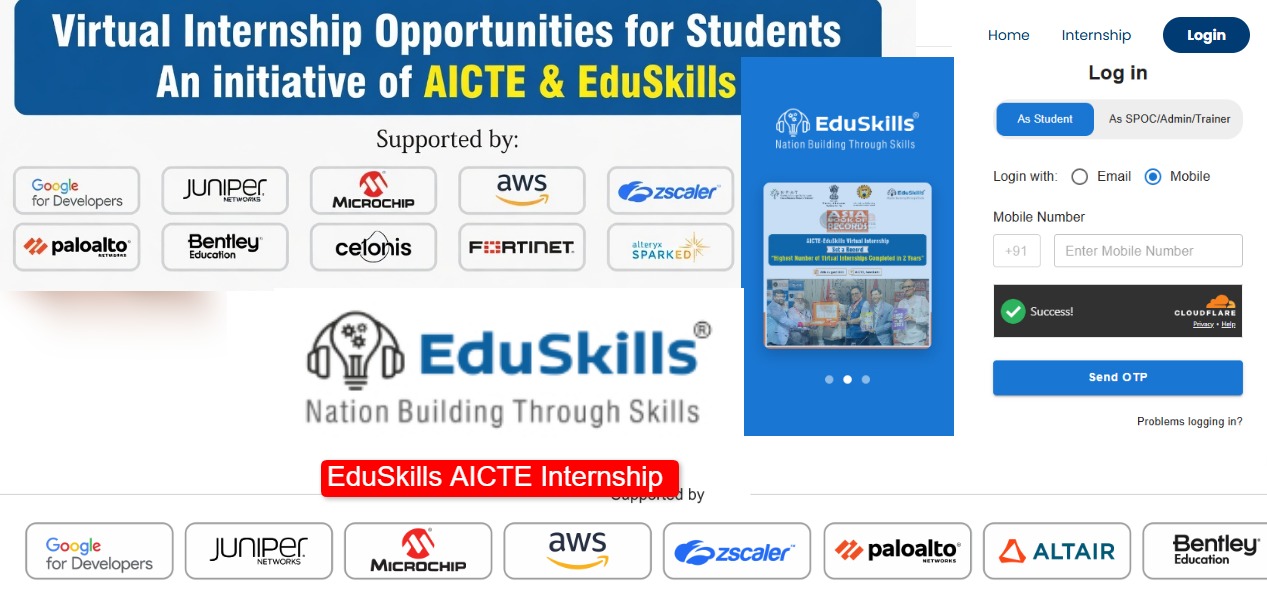
What EduSkills Actually Is
EduSkills is AICTE’s free virtual internship platform. Not a private company. Not a paid course provider. It runs under the Government of India and the internships are genuinely free — registration, course access, certificate, all of it.
Industry partners like Cisco, AWS, and others co-brand the certificates. So what you get at the end is not just an AICTE certificate — it carries the partner’s name too, which actually means something to recruiters.
One thing worth knowing in 2026: under NEP, completing a 2-month EduSkills internship with a partner like Cisco can map directly to 4 to 12 academic credits at many AICTE-affiliated colleges. Check with your TPO before enrolling if this matters to you — not every college has implemented it yet, but many have.
Domains available change slightly every cohort, but the regulars are:
- Cybersecurity (Cisco partnership — most popular by far)
- Data Science and AI
- Cloud Computing
- Full Stack Development
- Electric Vehicles
Duration is typically 4 to 6 weeks per cohort. The whole thing happens online.
Before You Register — Read This First
EduSkills runs on a cohort system. This confuses a lot of people.
You cannot just register and start anytime you want. There are fixed batches — Cohort 14, 15, 16 — each with a registration window that opens and closes. Miss the window, wait for the next one.
Cohort 16 is the current batch running in 2026. If registration is open when you are reading this, do it today. These windows close faster than most people expect — sometimes within 48 hours of opening.
How to Register on EduSkills — Actually Useful Steps
Go to the right website first.
Official registration link: eduskillsfoundation.org/internshipreg/
There are fake registration pages floating around on WhatsApp that look identical to the real thing. They collect your details and disappear. Always go directly to the official URL — type it yourself, do not click links from unknown sources.
Create your account.
Click Register or Sign Up on the homepage. You will fill in:
- Name as per your college records
- Personal email — something you actually check
- Mobile number
- Your college name and AICTE ID
- Branch, year, and state
The college name part is where most people get stuck. If your college does not appear in the dropdown when you type the name, search by AICTE ID instead. Your college’s AICTE ID is on your institution’s official website or on the AICTE portal. Do not guess — wrong college mapping means your certificate cannot be verified by your institution later.
Verify your OTP.
One OTP goes to your mobile, another to your email. Both need to be entered. Check your spam folder for the email one — it lands there more often than it should.
If OTP is not arriving on your phone, wait two minutes before hitting resend. Clicking resend repeatedly sometimes causes the system to block further OTPs temporarily.
⚠️ The OTP Problem Nobody Warns You About
A lot of students hit “resend” five or six times in a row, get frustrated, and then register again with a different email. That creates a duplicate account. Later, when the college tries to verify the certificate, the system finds two accounts for the same student and flags it. The certificate gets rejected. Avoid this entirely — if OTP genuinely is not working after two attempts, switch to Chrome, clear your cache, and try once more. Still not working? Email EduSkills support before making a new account.
Log in and find your cohort.
After registration, log in at eduskillsfoundation.org/login/ or the internship dashboard
Your dashboard will show available cohorts. If Cohort 16 registration is open, it will appear here. Click to enroll and select your domain.
If no cohort is showing on your dashboard, it either means the current cohort window has closed or your college has not been mapped to that cohort yet. Check back in a few days or contact support.
Pick your domain carefully.
This decision matters more than people think. The final assessment questions come from whatever domain you choose. If you pick Cybersecurity because it sounds impressive but you have zero background in networking, the assessment will be harder than it needs to be.
Honest recommendation by branch:
- CS and IT students — Cybersecurity or Data Science. Both are well matched.
- ECE students — Cybersecurity works. Cloud Computing is also a solid option.
- Mechanical and Civil — Electric Vehicles or Cloud Computing are the more comfortable picks.
- Arts and Commerce background — if your college allows EduSkills, Digital Marketing or Content-adjacent domains are more manageable.
Complete the course and assessment.
Work through the modules at your own pace within the cohort timeline. Do not skip the video content and jump straight to the assessment — the questions are based on the course material and the answers are covered in the videos.
Passing score requirements vary by cohort. Check your dashboard for the current requirement. It has been 60% in past cohorts but confirm before you sit the test.
💡 The 11 PM Rule
If the portal keeps timing out or your documents are not uploading, try again after 11 PM. Server load drops significantly at night and most upload issues resolve on their own. Peak hours — 10 AM to 6 PM — are when the portal struggles most. This applies to registration, cohort enrollment, and document uploads equally.
Download your certificate.
After passing, go to the Certificate section on your dashboard. Download the PDF. It includes your name, institution, domain, duration, and a QR code that anyone can scan to verify it instantly.
If the certificate is not showing yet, wait. It takes anywhere from a few days to two weeks after assessment completion for certificates to be generated. If it has been more than three weeks and nothing has appeared, contact support with your registered email and cohort details.
⚠️ Screenshot Your Applied Status
The moment you successfully apply for a cohort, take a screenshot of the confirmation screen. The EduSkills portal occasionally glitches and loses submission records. That screenshot is your only proof if your TPO or college questions your enrollment later. Do not skip this — it takes two seconds and has saved a lot of students from serious trouble.
Common Login Problems and What To Do
| Problem | Fix |
|---|---|
| Forgot password | Click “Forgot Password” on login page — reset link goes to registered email. Check spam folder. |
| “User Already Exists” error | You probably made an account in 1st year. Use Forgot Password and check spam for the reset link. |
| Email not recognized at login | You might have registered with a different email. Try all your email IDs. |
| Account shows as inactive | Check inbox for an activation link sent during registration — likely in spam. |
| Blank screen on login | Open Chrome incognito and clear cache. Portal cookies are buggy — incognito mode usually fixes it. |
| Portal not loading | Try after 11 PM. Server load is lowest then and pages load significantly faster. |
| Cohort not showing on dashboard | Registration window may be closed or your college is not mapped yet. Check back in a few days. |
The Certificate — What It Is and What It Is Not
The EduSkills certificate is a legitimate, verifiable credential. It carries AICTE’s name and the industry partner’s name. It has a unique ID and a QR code that can be scanned for instant verification.
What it is good for:
- Adding to your resume under Internships or Certifications
- Satisfying mandatory internship requirements at many AICTE-affiliated colleges
- LinkedIn profile under Licenses and Certifications
- NEP academic credit — up to 4 to 12 credits at eligible colleges (confirm with your TPO)
What it is not:
- A replacement for a core engineering internship at a company
- Universally accepted by all colleges for mandatory internship credit — this varies institution to institution
If your goal is specifically to fulfill a mandatory college internship requirement, check with your internship coordinator before enrolling. Do not assume it will be accepted and find out the hard way after completion.
EduSkills Cohort 16 — 2026 Status
Cohort 16 is the current active batch for 2026. Here is what to do based on where you are right now:
If Cohort 16 registration is open: Log in immediately at eduskillsfoundation.org/login/ and enroll from your dashboard. Do not wait.
If Cohort 16 registration has closed: Cohort 17 will open next. Bookmark the portal and check back every few days — cohort announcements go up with very little advance notice. Follow EduSkills on their official channels for updates.
If you registered for Cohort 15 but did not finish: Log in and check your dashboard. Some cohorts allow late submissions within a grace period. Do not abandon a partially completed cohort — your progress may still be saved and you may be able to complete it.
Official Links
| Resource | Link |
|---|---|
| EduSkills Homepage | eduskillsfoundation.org |
| Student Registration | eduskillsfoundation.org/internshipreg/ |
| Student Login | eduskillsfoundation.org/login/ |
| Internship Dashboard | internship.eduskillsfoundation.org/login |
| Admin Registration | internshipadmin.eduskillsfoundation.org/register |
| AICTE Official Website | aicte-india.org |
Zero fees at every step. If any website asks you to pay to register on EduSkills, close it immediately — it is a scam.
What To Do Right Now
If Cohort 16 registration is open:
- Open eduskillsfoundation.org/internshipreg/ in Chrome
- Register with your correct college name — use AICTE ID if name search fails
- Verify both OTPs — check spam for the email one
- Log in at eduskillsfoundation.org/login/
- Enroll in Cohort 16 from your dashboard
- Pick a domain that matches your branch
- Try after 11 PM if the portal is slow
- Watch the course videos — do not skip to the assessment
- Screenshot your applied status immediately after enrolling
- Pass the test and download your certificate
The entire process from registration to certificate takes 4 to 6 weeks. Start today.
Frequently Asked Questions
Is EduSkills actually free? Yes. No registration fee, no course fee, no certificate fee. Fully free at every step. Anyone asking for payment is running a scam.
Which cohort is running in 2026? Cohort 16 is the current batch. Log in to your dashboard at eduskillsfoundation.org/login/ to check live registration status.
My college is not in the dropdown — what do I do? Search by your college’s AICTE ID instead of the name. If it still does not appear, your college may not be AICTE-affiliated or mapped yet. Contact EduSkills support through the official portal.
How long does the certificate take after I pass? Typically 1 to 3 weeks after assessment completion. It appears as a downloadable PDF on your dashboard under the Certificate section.
I am seeing “User Already Exists” — what does that mean? You already have an account, likely created in an earlier year. Do not register again. Use Forgot Password on the login page and check your spam folder for the reset link.
Which domain should I choose? Pick based on your branch. CS and IT students — Cybersecurity or Data Science. ECE — Cybersecurity or Cloud. Mechanical and Civil — Electric Vehicles or Cloud Computing. Choose what connects to your background — the assessment is based on your chosen domain.
Does EduSkills count for college internship credit? Depends entirely on your college. Many AICTE-affiliated institutions accept it, and under NEP it can map to 4 to 12 academic credits. Confirm with your TPO or internship coordinator before enrolling if this is your specific goal.
The portal is not loading — what do I do? Try after 11 PM when server load is lowest. Use Chrome in incognito mode. Clear your browser cache. Avoid peak hours between 10 AM and 6 PM when traffic is highest.
Can I do EduSkills internship more than once? Each cohort typically allows one enrollment per student. Subsequent cohorts may allow re-enrollment. Check your dashboard for available options.
I registered twice by mistake — what now? Contact EduSkills support immediately with both email IDs. Do not ignore it — duplicate accounts cause certificate verification failures when your college tries to verify your credentials.