
For many B.Ed and D.El.Ed students, the biggest hurdle isn’t the internship itself—it’s actually getting past the login screen. Since Phase 2 (Second Round) runs from March 1 to March 10, you need to ensure your credentials work before Sunday morning.
Step 1: How to Recover Your Username
Before you can reset a password, you need your system-generated Username.
-
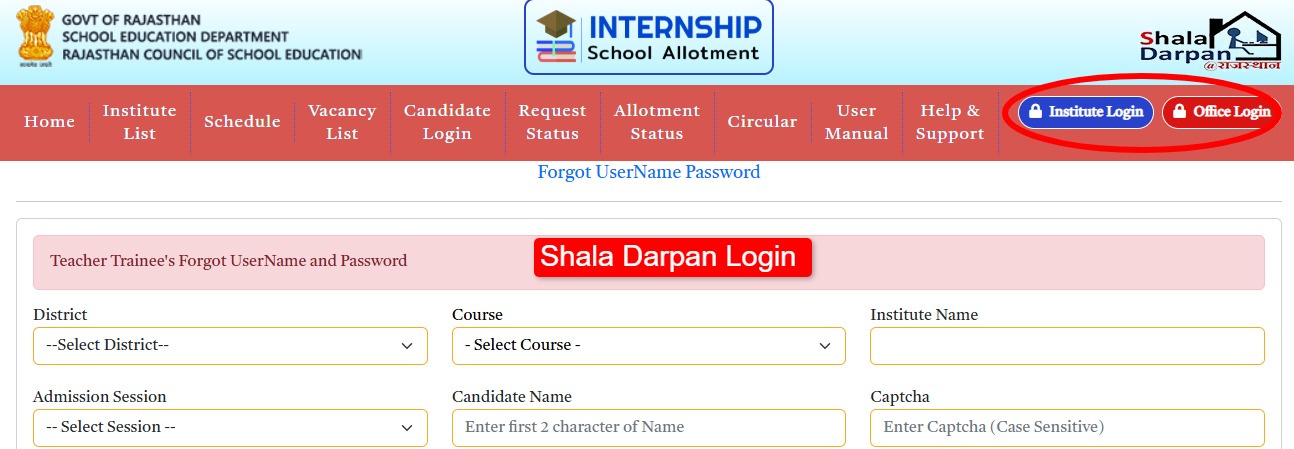
Visit the Official Shala Darpan Internship Portal.
-
Click on “Search User Name.”
-
Select your District, Course (B.Ed/D.El.Ed), and College Name.
-
Enter the first two characters of your name and your Admission Session (2025-26).
-
The system will show your name and a partially hidden mobile number. Click “Get User Name” to receive it via SMS.
Step 2: The “Forgot Password” Reset
Once you have your Username:
-
Go to the Candidate Login page.
-
Click “Forgot Password.”
-
Enter your User Name and the Mobile Number registered with your college.
-
An OTP will be sent to your phone. Enter it to set a new, secure password.
Crucial Warning: If you have changed your mobile number since you took admission, the OTP will go to your old number. You cannot change this yourself. You must call your college clerk immediately to update your mobile number on the Shala Darpan institutional portal.
Step 3: Direct Links for 2026 Choice Filling
Save these links to bypass the heavy traffic on the main homepage:
-
Direct Login Page: Click Here
-
Forgot Password/User Search: Click Here
-
Check Live School Vacancy: Click Here
The “Name Not Found” Error
If you select your college and your name doesn’t appear in the list, it’s not a website glitch. It means your college has not “Onboarded” your profile for this round.
-
The Fix: Contact your college’s Shala Darpan In-charge. Tell them your data isn’t visible in the “Internship Request” section. They can fix this with one click from their office login.